












For general contractors and subcontractors
Every worker. Every record. One system.
Most construction HR software sits outside the project. In many companies, personnel records live in a binder on a desk, a filing cabinet nobody opens between jobs, or an email thread that serves as a personnel file.
HR is built inside SMARTBUILD, so every employee record, certification, time-off request, and onboarding document lives in the same system the team already runs.
Certifications expire without anyone noticing
Most crews keep certifications in a binder or a filing cabinet that nobody checks regularly. An expired ticket usually comes to light during an inspection, when it is too late to do anything about it. HR software should flag it well before then.
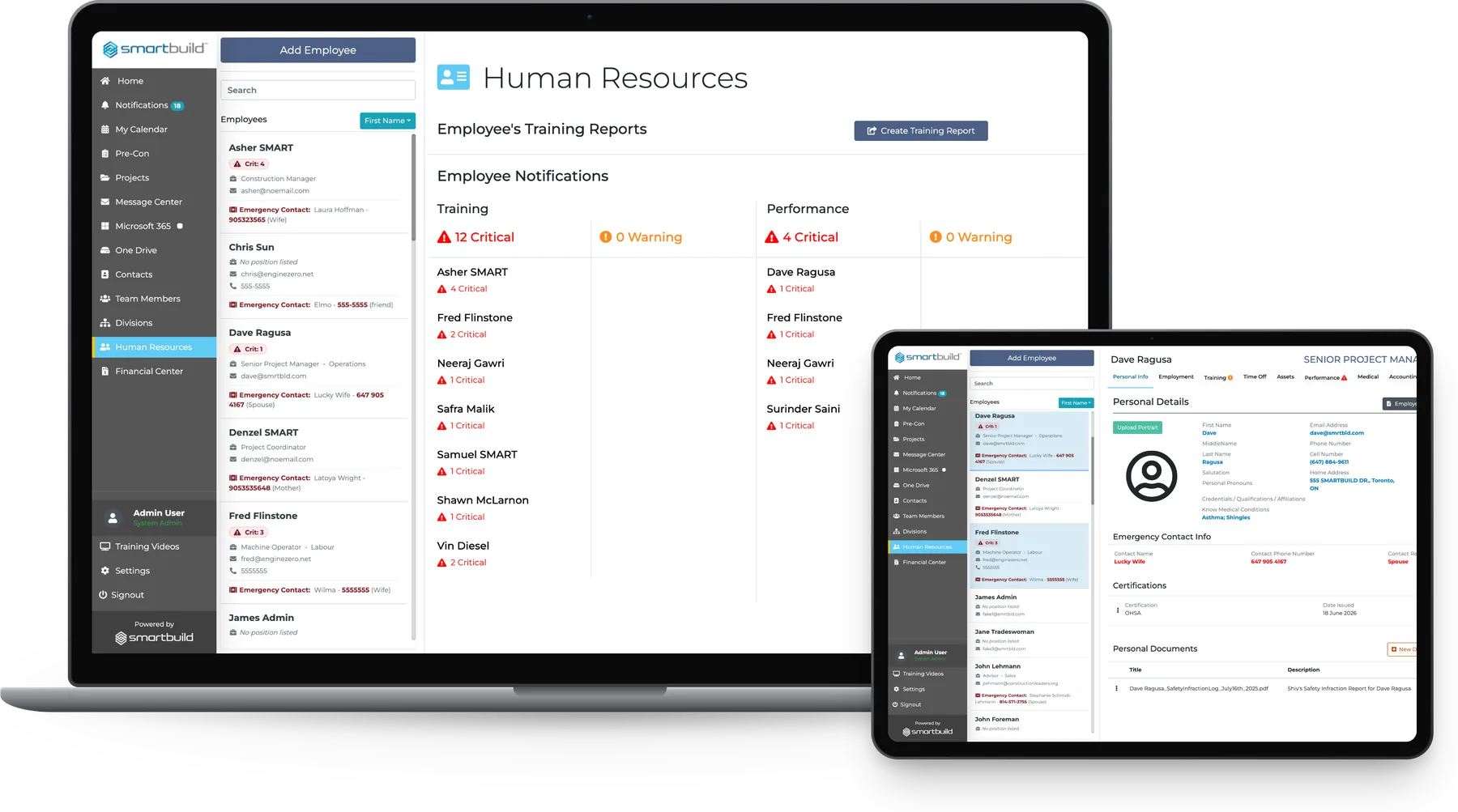
smrtTeam flags expiring certifications, missing onboarding steps and open time-off requests before they become a problem on site.
| Paper files / email | Standalone HR software | smrtTeam |
|---|---|---|
| Paper files / emailCertifications live in a binder with no expiry tracking | Standalone HR softwareExpiry is tracked, but in a system separate from the job | smrtTeamExpiry is tracked and flagged on the employee's record in the project system |
| Paper files / emailOnboarding is done verbally with no checklist | Standalone HR softwareA checklist exists, but it is not connected to project work | smrtTeamEach employee has an onboarding checklist that is confirmed and dated |
| Paper files / emailTime off is requested by text and not tracked | Standalone HR softwareTracked, then shared with project managers by hand | smrtTeamRequests are logged and the vacation balance updates automatically |
| Paper files / emailDisciplinary action is noted by the super and rarely filed | Standalone HR softwareRecorded, but site management cannot see it | smrtTeamRecorded, documented and shareable in one step |
The hire was verbal and never made it to the file
| Today | On smrtTeam |
|---|---|
| TodayAn OSHA certification expires on Tuesday. The foreman finds out on site on Wednesday morning, and the job stops. | On smrtTeamThe expiry date is on the record and an alert fires before it lapses, so it can be dealt with before an inspector finds it. |
| TodayA new hire starts on Monday and the super walks them through it verbally. Nothing is documented or confirmed. | On smrtTeamAn onboarding checklist is assigned and each item is confirmed with a name and date, so there is a paper trail from day one. |
| TodayThe super handles a worker grievance over email and nothing is filed. The problem resurfaces six months later. | On smrtTeamThe disciplinary record is logged, documented and stored on the employee file, where it is available when needed. |
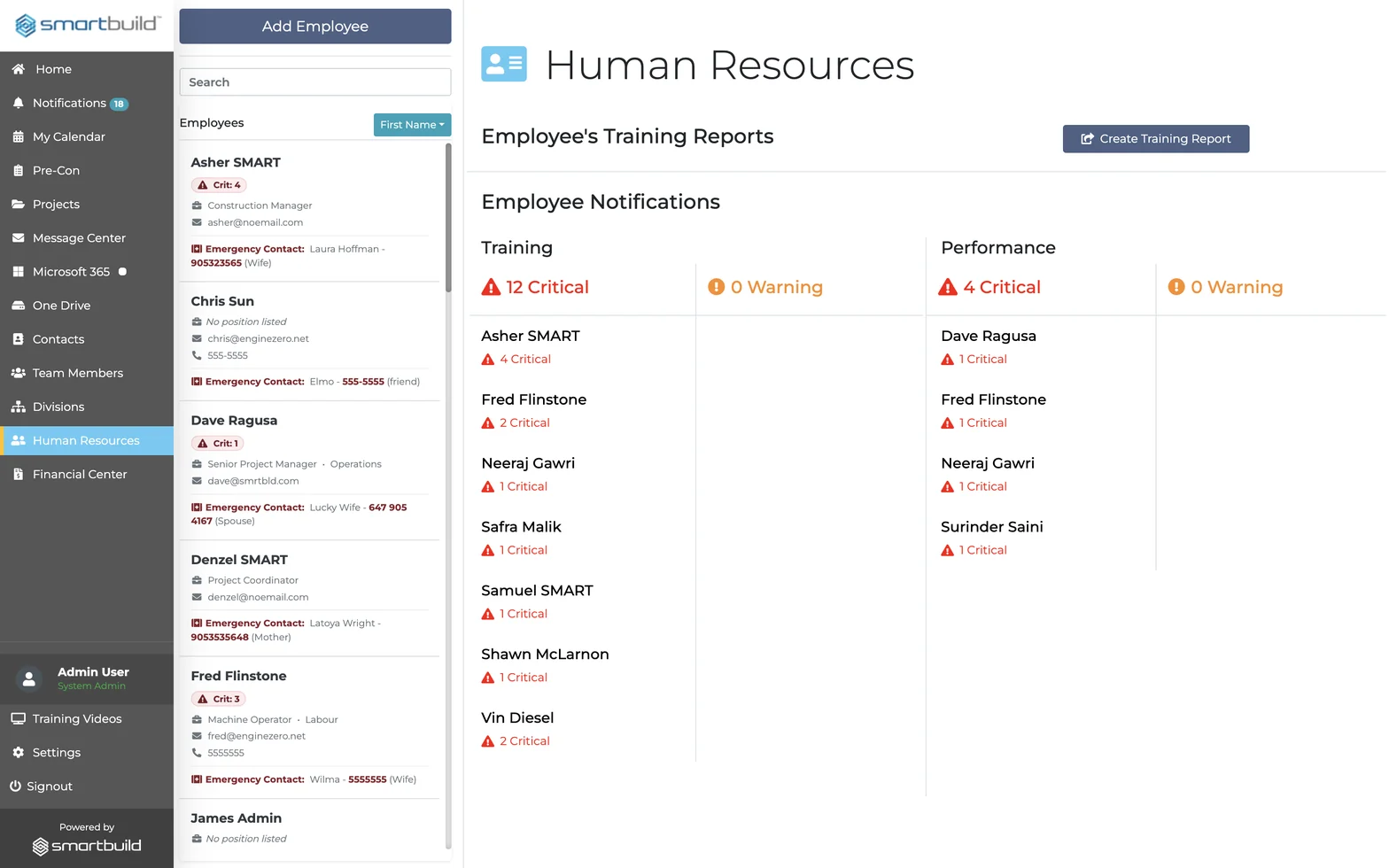
Every crew member, certification and record sits in the system the team already uses.
Every employee record and certification in one place
There is no separate HR login. Every document and alert lives in the SMARTBUILD account the team already uses.
Employee profiles and records
Each employee has one profile.
Every detail for every worker, from the first interview to the last day on site, is kept in a single record.
- Personal Details: name, pronouns, contact info, home address, date of birth, SIN/SSN
- Emergency Contacts: contact name, phone number, and relationship stored per employee
- Certifications: certificate name, date issued, and expiry date; tracked and reportable
- Employment Record: title, department, hire date, probation date, salary, vacation entitlement, reports-to
- Previous Positions: full employment history within the company on one screen
Compliance and certification tracking
The record shows who is certified before an inspector asks.
HR keeps certification records current, so the company is not caught short when an inspector arrives on site.
- Certification Expiry Alerts: Critical and Warning flags per employee; visible from the list view
- Training Documents: upload and store training records; accessible via Employee QR code on mobile
- Medical Records: store relevant medical information; private, reportable, and document-attached
- Training Report: generate a cross-employee training report by category with one click
Time off and asset management
Time off owed and assets issued are both tracked.
Most GCs manage time off and issued assets from memory, and both need a paper trail.
- Time Off Requests: log requests, track anniversary date, remaining vacation days, and entitlement
- Time Off Reports: send or generate a time-off report from the employee record in one step
- Employee Assets: type, make, model, year, serial number, date issued, date returned per item
- Asset Categories: Communication, Equipment, Computers. Additional information field per asset
Onboarding, performance, and disciplinary
Every step is documented from day one.
Most construction companies handle onboarding, performance and discipline from memory, and all three create legal exposure without a paper trail.
- Onboarding Items: title, description, type, confirmed-by name, and date completed per checklist item
- Performance Reviews: position, review type, rating, and date; send or generate a report
- Disciplinary Records: log, document, and store disciplinary actions; attach supporting files
- Form Center: custom forms per employee; accounting and additional records by department
EMPLOYEE QR CARD
Training documents on site, no login required
A QR card can be generated for any employee, printed and posted on site. Scanning the code opens any training document uploaded to that employee's HR profile, with no app download and no password.
It is built for inspections and for site supervisors who need to verify a worker's certifications in the field without calling the office.
Questions GC owners and subs ask before adding HR
What is construction HR software?
Construction HR software manages employee records, certifications, time off, onboarding, performance, and disciplinary documentation for general contractors and subcontractors. SMARTBUILD HR does this inside the project management system, alongside the company's jobs, RFIs, and change orders.
How does construction certification tracking work in SMARTBUILD?
Construction certification tracking in SMARTBUILD stores each certificate, its issue date, and its expiry date on the employee record. Critical and Warning flags appear per employee in the list view. A training report covering the entire crew is one click from the HR dashboard.
What HR records does SMARTBUILD track per employee?
Each employee profile has 13 tabs: Personal Info, Employment, Training, Time Off, Assets, Performance, Medical, Accounting, Disciplinary, Onboarding, Documents, Form Center, and Trainers. Every tab stores records, documents, and a reportable history.
Can supervisors verify crew certifications on site without logging in?
Yes. A QR card can be generated, printed, and posted for every employee. Scanning the code opens any training document uploaded to that employee's HR profile, with no login and no app download. The feature is built for site supervisors running an inspection.
How is HR different from Team Members in SMARTBUILD?
Team Members manages who is on the account and what they can access. HR manages employment records, certifications, compliance, onboarding, performance, and documentation for every person in the workforce. The two features work alongside each other.
Is HR included in smrtGC or smrtSUB, or is it a separate purchase?
HR is a bolt-on to smrtGC and smrtSUB, with one price that covers every employee, every tab and every record. To add it to a current plan, talk to a SMARTBUILD rep.
See how HR tracks certifications
The thirty-minute demo covers certifications, expiry alerts, QR cards and training reports on demo records.